
StreamTester for Mac
RTSP & HLS player · macOS
Play RTSP cameras and HLS streams on your Mac. Verify connections, inspect real-time playback stats, and monitor multiple feeds side by side with optional Multiview PRO.
Screenshots



RTSP & HLS player for Mac
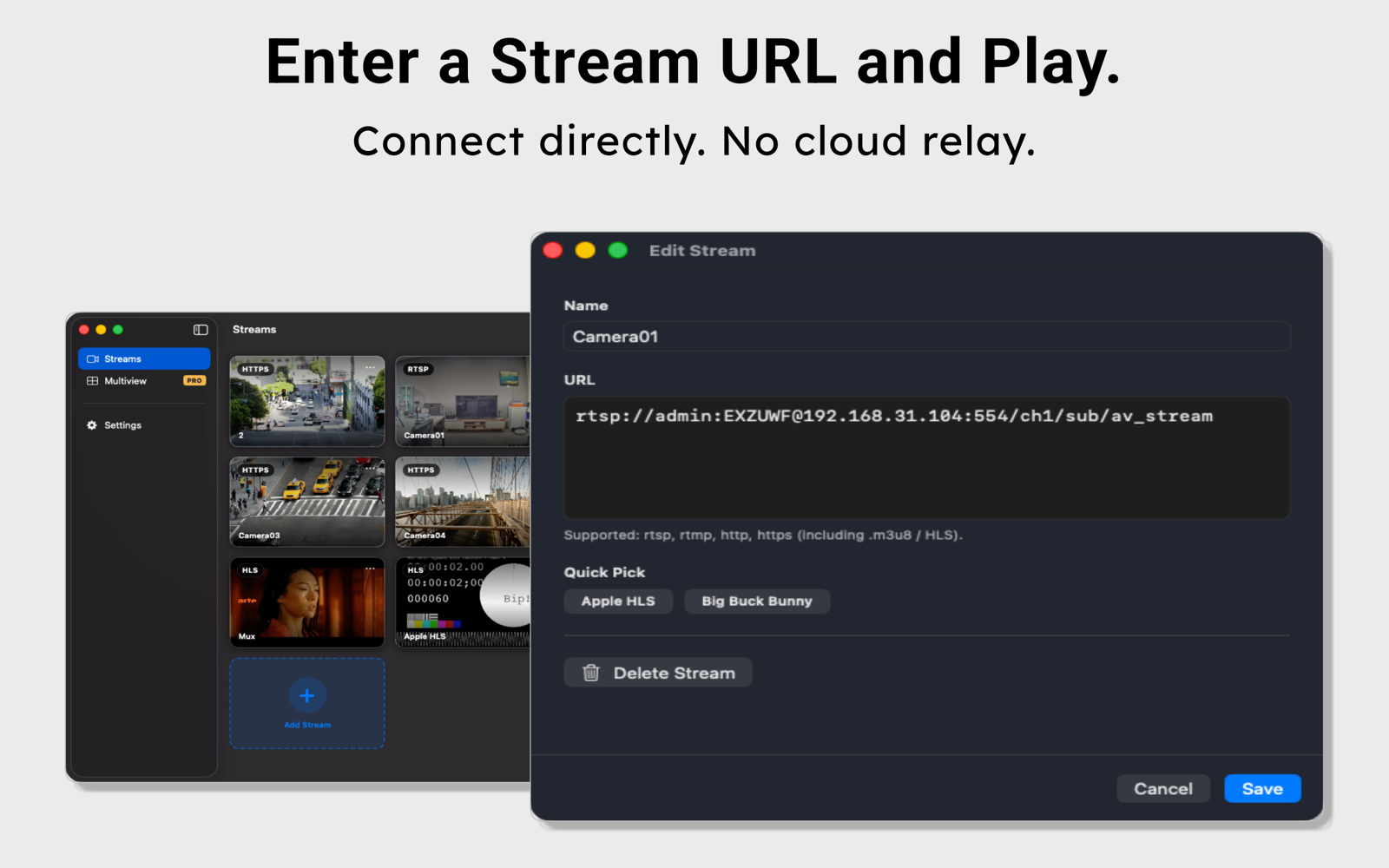
StreamTester is an RTSP and HLS player for Mac with real-time stream diagnostics. Open a camera or encoder’s stream URL to check the connection, verify video playback, and inspect stream information.
Play RTSP cameras and HLS streams on Mac
Play RTSP, RTMP, HLS (including M3U8 playlists), HTTP, and HTTPS video streams. Use StreamTester to troubleshoot an IP camera feed, test a live stream, or verify your encoder’s output.
Inspect playback and connection diagnostics
Check connection status, resolution, codec, bitrate, and frame statistics during playback. Save and name stream URLs in your library so you can return to the same feeds when testing again.
Monitor multiple feeds with Multiview PRO
View multiple camera feeds or video streams side by side on your Mac. Optional Multiview PRO lets you compare several sources in one workspace.
Free stream testing and an optional one-time upgrade
Single-stream playback, diagnostics, and stream library management are included for free. PRO is an optional one-time in-app purchase with lifetime access.
Bring a supported stream URL
You need a valid stream URL and network access to the camera or video source. Playback connects directly to the source you provide, without a cloud relay. StreamTester does not include video content or camera services.
Testing on a mobile device? Explore StreamTester, the RTSP and HLS player for iPhone and iPad.